|
|
| FAQ  |   Company   |   Terms   |   Site map      |
| Home | PC Card Solutions | Moisture Analyzer | Mass Flow/Moisture for Solids | Temperature Measurement | Online Store | Contact Us |
|
Industrial Products Home/Small Office Adapters PC Cards CAN Bus   UniCAN Pro   UniCAN Logger   UniCAN Recorder |
|||||||||||||||||||||||||
| UniCAN Recorder | |||||||||||||||||||||||||
| PC Card Based Recorder/ Sniffer for CAN Bus |
|||||||||||||||||||||||||
align="left" valign="top"> |
|
||||||||||||||||||||||||
OTHER HIGHLIGHTS:
DESCRIPTION: UniCAN Recorder is designed or diagnosis and long-term examinations of CAN systems. This mode is very useful to log sporadic errors which in turn can be analyzed later on. Memory capacity is only limited by the ATA Flash card. UniCAN Recorder records the following data:
In general, the entire communication over the bus can be recorded. As an option, a filter function is available to select specific identifiers. This will reduce data volume. Recording of the bus communication is synchronized with a timer. It consists of data and time (resolution: 50 µs). Conditions of Recording for Recorder Mode: For CAN diagnosis flexible conditions of recording are available. The following parameters can be utilized:
It is possible to select between triggering and gate function. If a triggering function is reached the initiated start of the recording remains active for indefinite time. If the Gate function is selected recording is active as long as the condition of recording is valid. For short-term or single occurrences (Identifier or Error Frame) a hold time (100 ms to 60 sec) can be specified to record subsequent information. In addition, it is possible to record a pre-event history (app. 80 KByte data). Up to 8 conditions of recording can be combined logically in order to select specific events. For start of the ignition a start delay (100 ms to 60 sec) can be specified, at which the condition of recording is not applicable. This is very helpful to eliminate irregular conditions at the CAN-bus. Special Applications for Recorder Mode: For special applications the device allows for specific settings for adaptation to the physical CAN-bus:
The following functions can also be used for one CAN channel:
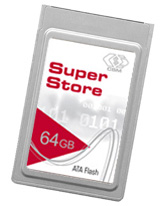
CAN-Bus Support UniCAN Recorder supports CAN 2.0B (active). These are messages in Basic CAN (11-Bit Identifier) or Extended CAN (29-Bit Identifier) format. The device is equipped with 2 CAN-bus controllers. We offer drivers for High-Speed CAN-Bus (ISO 11898) and Low-Speed CAN-Bus (ISO 11519). Secure Data Storage: UniCAN Recorder is protected by a robust metal housing. A front cover secures the ATA card from being ejected which could otherwise be caused by vibrations. ATA Flash PC Cards from SanDisk are supported because of their proven reliability. These cards do not contain any mechanical consumables which makes them perfect for rough environments. For long term data logging capacities up to 2 GB are available. UniCAN Recorder is protected against interferences. All measurement related data is saved and managed by UniCAN Recorder utilizing a structure which is optimized towards security. In case of a disturbance, e.g. power failure or removal of the PC Card the measurement re-starts automatically. All previous data will be secured and available at the end of the logging. UniCAN Manager: For configuration of a recording the Windows program UniCAN Manager is available. It features access to communication data which have been previously defined in CANini (or CANdb). You can utilize common names (like "rpm") to define parameters for recording (triggering threshold, etc.). In addition, common parameter for recording are defined UniCAN Manager:
UniCAN Manager is also used for data transfer to a computer in conjunction with the recording. Output of the recorded data is in ASCII format, which can be imported into MS EXCEL and other programs for further analysis. UniCAN Manager is very handy to divide large segments into smaller packages. The number of single files are determined by selecting file length and time frame (day, hour, minute). RS232 Interface (Serial Port): UniCAN Recorder is connected to a computer running Windows operating system via a serial RS232 interface. The following functions are available:
The Online Display is available during measurement for control purposes. A laptop can be used to display the following information in an ASCII window (Windows Hyper-Terminal):
The time interval for output of the measurement data is selectable between 1 s and 10 s. |
|||||||||||||||||||||||||
|
TECHNICAL DATA: |
|||||||||||||||||||||||||
|
|||||||||||||||||||||||||
|
|||||||||||||||||||||||||
| FAQ | Company | Terms | Site map |
| Copyright © 1992-2006 I.P.I. International Products, Inc. | |||